
Description
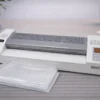
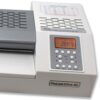
Akiles ProLam XL18.9 Professional Pouch Laminator
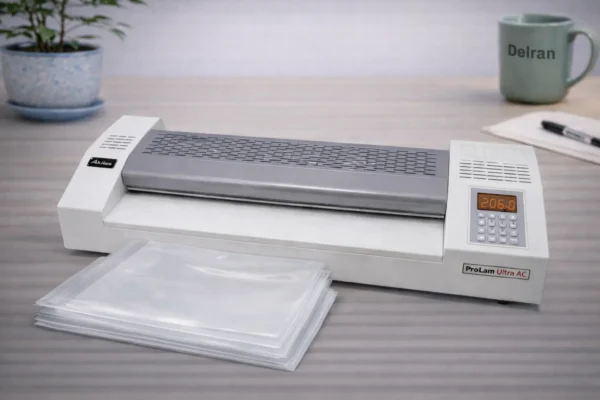
The Akiles ProLam XL 18.9 is a professional-grade pouch laminator designed for high-quality document protection and presentation. With an extra-wide 18.9-inch laminating capacity, this machine handles large documents, posters, menus, and signage with ease.
Built with heavy-duty internal components and advanced temperature control, the ProLam XL 18.9 provides consistent laminating results for offices, schools, print shops, and production environments.
Its user-friendly controls, fast warm-up time, and adjustable heat settings allow you to laminate a wide range of pouch thicknesses with professional precision.
Akiles ProLam XL 18.9 Key Features
✔ Extra-wide 18.9 inch pouch laminator throat for large-format documents.
✔ Compatible with multiple pouch thicknesses
✔ Adjustable temperature control
✔ Fast warm-up time
✔ Durable metal housing
✔ Reverse function for jam removal
✔ Ideal for offices, schools, and print shops
📊 Akiles ProLam XL 18.9 Specifications
| Specification | Details |
|---|---|
| Model | Akiles ProLam XL 18.9 |
| Manufacturer | Akiles Products Inc |
| Laminating Style | Thermal Pouch Laminator |
| Maximum Laminating Width | Extra-wide **18.9 inch pouch laminator** throat for large-format documents |
| Suggested Use | Office, School, Print Shop |
| Operation | Electric |
| Temperature Control | Adjustable |
| Jam Release / Reverse | Yes |
| Machine Dimension / Lbs | 27.25″ x 10.5″ x 7 – 44lbs |
| Construction | Heavy-duty metal housing |
Akiles ProLam XL 18.9 Laminator PDF Manual
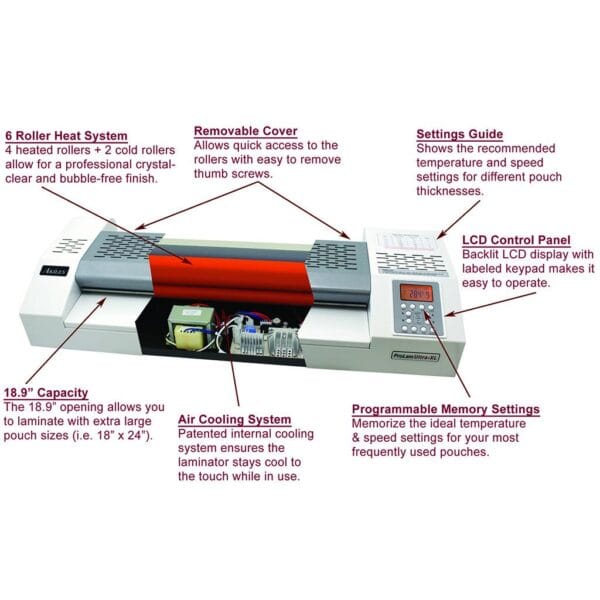
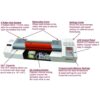
• Commercial Grade 6 Roller Laminator with 2 Programmable Memory Settings |
| • Programmable Memory Settings: Allows you to save the ideal temperature and speed for your most frequent projects. |
| • 6 Roller Heat System: The 4 heated rollers + 2 cold rollers guarantee professional grade results and crystal clear lamination. |
| • Auto Shutoff: Automatically cools and shuts down the machine after usage, to prolong the life of your laminator. |
| • 13″ and 18.9″ Capacities: The large 13″ (X6 / X10) or extra large 18.9″ (XL) throat allows the machine to laminate a wide array of pouch sizes. |
| • Removable Cover: Allows quick access to the roller with easy-to-remove thumb screws. |
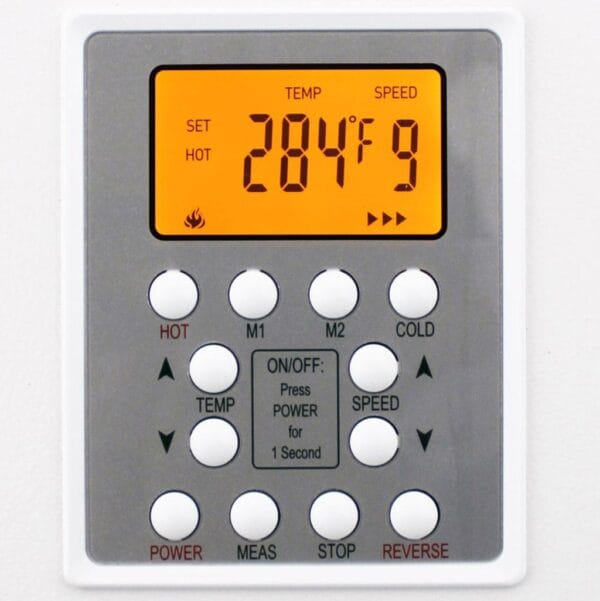
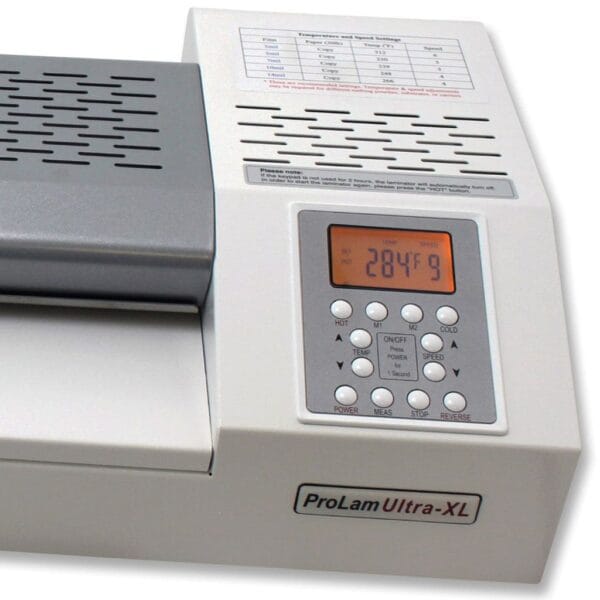
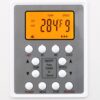
| • LCD Control Panel: Backlit LCD display with labeled keypad makes it easy to operate. |
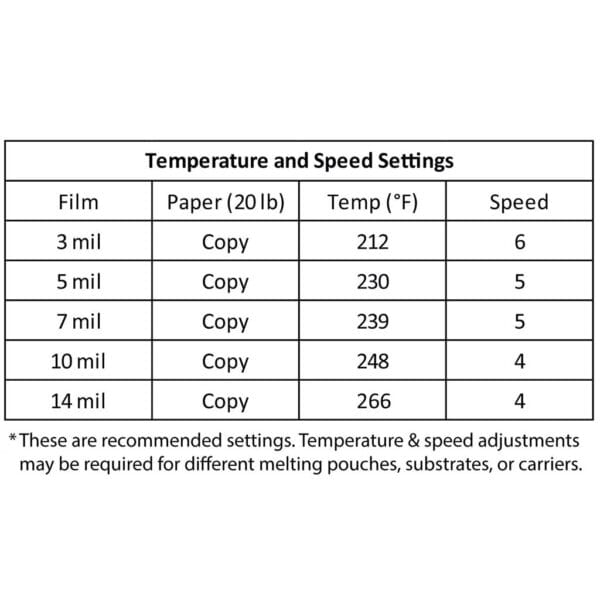
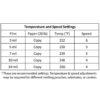
| • Setting Guide: Shows the recommend temperature and speed settings for different pouch thicknesses. |
| • Air Cooling System: Patented internal cooling system ensures the laminator stays cool to the touch while in use. |
| • The 18.9” throat : Extra-wide entrance allows for easy pouch feeding of all standard pouches. |
Troubleshooting
As a leading provider of Akiles pouch laminators, we find that most issues with the ProLam XL 18.9 laminator can be resolved by checking the heat settings relative to your pouch thickness. These troubleshooting tips from the manufacturer can help with 99% of the issues customer’s may encounter when laminating with the ProLam Ultra XL machine. While issues with this high quality machine are not common, sometimes an issue outside of the normal might occur. Be sure to always first refer to the owners manual for instructions on how to solve issues.
| Problem | Cause | Solution |
|---|---|---|
| Machine has no power, or rollers are not rolling | • Power cord is not properly plugged in • Power switch is off | • Check that the power cord is properly plugged in • Check that the power switch is turned on • Contact Support |
| Excessive noise | • Operation of gears is not smooth | • Turn off the machine, and contact support |
| Bad lamination | • Laminated document is wrinkled, damp, or folded | • Adjust the temperature lower or higher and / or adjust speed |
| No increase of temperature | • Power connection | • Check that the power plug and switch is turned on • Contact support |
| Frequent curling of film | • The temperature may be too hot | • Lower the temperature |
| Edge of document is not sealed | • Document is too thick to seal the edges of the film | • Use a thinner document • Leave more space around the edges (approx. 5mm, min) |
| Emergency state | • Something may be stuck between the heated rollers • Rollers may be out of position | • Turn off the switch and contact support |
🔗 Explore Other Akiles Laminators
Also link to supplies:
What laminator model is best for you? Compare Here!!
How to Operate the Akiles ProLam XL 18.9 (Step-by-Step)
To achieve the best results with your high-speed commercial pouch laminator, follow these simple steps for a perfect, bubble-free finish every time:
1. Power On and Warm Up
Plug in the machine and turn the power switch to the “ON” position. Use the LCD Control Panel to select your desired temperature based on the thickness of your laminating pouch. The ProLam XL 18.9 heats up quickly, but wait for the “Ready” indicator before proceeding.
2. Prepare Your Document
Place your document inside the laminating pouch, ensuring it is centered with an even border (at least 5mm) on all sides. This ensures a proper thermal seal and prevents jamming.
3. Select Your Memory Setting
If you frequently use specific materials, take advantage of the 2 Programmable Memory Settings. Simply press your pre-set button to automatically adjust the heat and speed to your saved preferences.
4. Feeding the Pouch
Insert the sealed end of the pouch into the 18.9-inch throat first. Ensure the pouch is straight to avoid wrinkles. The 6-roller heat system will automatically pull the document through, applying even pressure and heat.
5. Cooling and Shut Down
Once the document exits the rear of the machine, let it lay flat on a cool surface for a few seconds. When your project is complete, use the Auto Shutoff feature, which will safely cool down the rollers before powering down to extend the life of the internal components.